December 2023
How To Ensure Csp In Next Js
Implement Csp using nonce in next js 13 to avoid xss attacks from untrusted domains or from other malicious scripts.
- next js
- csp
- web
This blog post will have topics in
- What is CSP?
- How CSP uses nonces or hashes to avoid allow-list bypasses
- How to implement CSP in Next Js 13/14
- Compare helmet and nonce
- Resources
What is CSP?
Lets start with what the heck is a CSP and why should you know about it? A Content Security Policy (CSP) helps to ensure any content loaded in the page is trusted by the site owner. CSPs mitigate cross-site scripting (XSS) attacks because they can block unsafe scripts injected by attackers. However, the CSP can easily be bypassed if it is not strict enough.
CSP targets XSS
To target XSS, a CSP should include the script-src, object-src, and base-uri directives. The CSP should also be free of syntax errors. script-src and object-src secures a page from unsafe scripts and unsafe plugins respectively.
Alternatively, default-src can be used to configure a broad policy in place of many directives including script-src and object-src.
base-uri prevents the injection of unauthorized base tags which can be used to redirect all relative URLs (like scripts) to an attacker-controlled domain.
CSP uses nonces or hashes to avoid allow-list bypasses
A CSP that configures an allow-list for script-src relies on the assumption that all responses coming from a trusted domain are safe, and can be executed as scripts. However, this assumption does not hold for modern applications; some common, benign patterns such as exposing JSONP interfaces and hosting copies of the AngularJS library allow attackers to escape the confines of CSP.
In practice, while it may not be obvious to application authors, the majority of script-src allow-lists can be circumvented by an attacker with an XSS bug, and provide little protection against script injection. In contrast, the nonce-based and hash-based approaches do not suffer from these problems and make it easier to adopt and maintain a more secure policy.
For example: this code uses a JSONP endpoint hosted on a google domain to inject an attacker controlled script:
Csp: script-src https://google.example.com

// the script that will run on the domain name
HTML: <script src="https://google.example.com/path/jsonp?callback=alert(document.domain)//"></script>
To avoid being bypassed, a CSP should allow scripts individually using nonces or hashes and use 'strict-dynamic' instead of an allow-list.
How do we add CSP in Next Js 13 then?
-
Nonce
- Purpose A nonce is a cryptographic token generated by the server and included in a script tag's nonce attribute. It helps enforce that only scripts with the correct nonce are executed, providing an extra layer of security against certain types of XSS attacks.
- Usage in Next.js Nonces are typically used in combination with CSP headers. You can dynamically generate a nonce on the server and include it in the CSP header and corresponding script tags in your HTML.
-
Example
import { NextResponse } from "next/server";

export function middleware(request) {
  const nonce = Buffer.from(crypto.randomUUID()).toString("base64");
  const cspHeader = `
    default-src 'self';
    script-src 'self' 'nonce-${nonce}' 'strict-dynamic' 'unsafe-eval' https: http:;
    style-src-elem 'self' 'nonce-${nonce}';
    img-src 'self' blob: data:;
    font-src 'self' https://fonts.gstatic.com;
    connect-src 'self';
    object-src 'none';
    base-uri 'self';
    form-action 'self';
    frame-ancestors 'none';
    block-all-mixed-content;
    upgrade-insecure-requests;
`;
  // Replace newline characters and spaces
  const contentSecurityPolicyHeaderValue = cspHeader
    .replace(/\s{2,}/g, " ")
    .trim();

  const requestHeaders = new Headers(request.headers);
  requestHeaders.set("x-nonce", nonce);
  requestHeaders.set(
    "Content-Security-Policy",
    contentSecurityPolicyHeaderValue,
  );

  const response = NextResponse.next({
    request: {
      headers: requestHeaders,
    },
  });
  response.headers.set(
    "Content-Security-Policy",
    contentSecurityPolicyHeaderValue,
  );

  return response;
}

export const config = {
  matcher: [
    /*
     * Match all request paths except for the ones starting with:
     * - api (API routes)
     * - _next/static (static files)
     * - _next/image (image optimization files)
     * - favicon.ico (favicon file)
     */
    {
      source: "/((?!api|_next/static|_next/image|favicon.ico).*)",
      missing: [
        { type: "header", key: "next-router-prefetch" },
        { type: "header", key: "purpose", value: "prefetch" },
      ],
    },
  ],
};
couple of things here, in script-src i have added 'unsafe-eval' and https: http: because they are the recommended way in the lighthouse analytics.
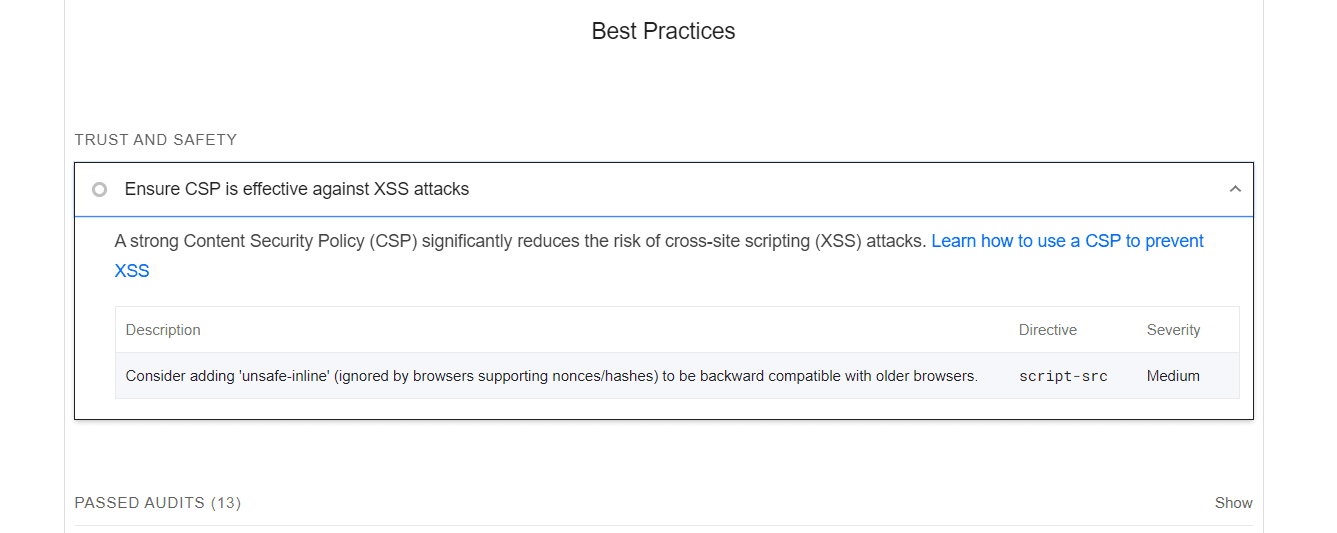
'unsafe-eval' is generally discouraged as it introduces potential security risks by allowing inline scripts. However, in some cases, you might need to include it for compatibility with older browsers that don't support nonces or hashes. For https: http: This is to be backward compatible with older browsers that may not support the 'strict-dynamic' keyword.
If you have scripts that are being loaded from other sites that aren't from your own source and you aren't the owner it should be added to the script-src script this can be scripts for styles like imports from google fonts. It should be added inside the style-src.
style-src-elem 'self' 'nonce-${nonce}' https://fonts.googleapis.com;and for other scripts that should be run in my case i was running Vercel Analytics package so it was added to the connect-src respectively.
connect-src 'self' https://vercel.com https://vitals.vercel-insights.com https://vitals.vercel-insights.com/v1/vitals;this will allow for Vercel's scripts to run instead of being blocked by the CSP rules defined.
The matcher array in the config object is placed there because by default middleware runs on all requests. To filter the middleware to run on specific path we use the matcher. In the next js docs they recommend to ignore prefetches (from next/link) and static assets such as the public folder that don't need the CSP header.
- Next step would be to Read the Nonce
From the Next Js 13 docs on CSP to be able to read the nonce on server components using headers:
import { headers } from "next/headers";
import Script from "next/script";

export default function Page() {
  const nonce = headers().get("x-nonce");

  return (
    <Script
      src="https://www.googletagmanager.com/gtag/js"
      strategy="afterInteractive"
      nonce={nonce}
    />
  );
}import "./globals.css";
import { Analytics } from "@vercel/analytics/react";
import { headers } from "next/headers";
import Script from "next/script";
export function Nonce() {
const nonce = headers().get("x-nonce");
return <Script strategy="afterInteractive" nonce={nonce} />;
}
export default function RootLayout({ children }) {
return (
<html lang="en">
<head>...</head>
<body suppressHydrationWarning={true}>
{children}
<Analytics />
<Nonce />
</body>
</html>
);
}
Remember that using nonces adds an extra layer of security, but it requires careful management, especially when dealing with dynamic content and third-party libraries. Ensure that nonces are unique for each script and that they are securely generated. Regularly review and test your security measures to stay ahead of potential vulnerabilities.
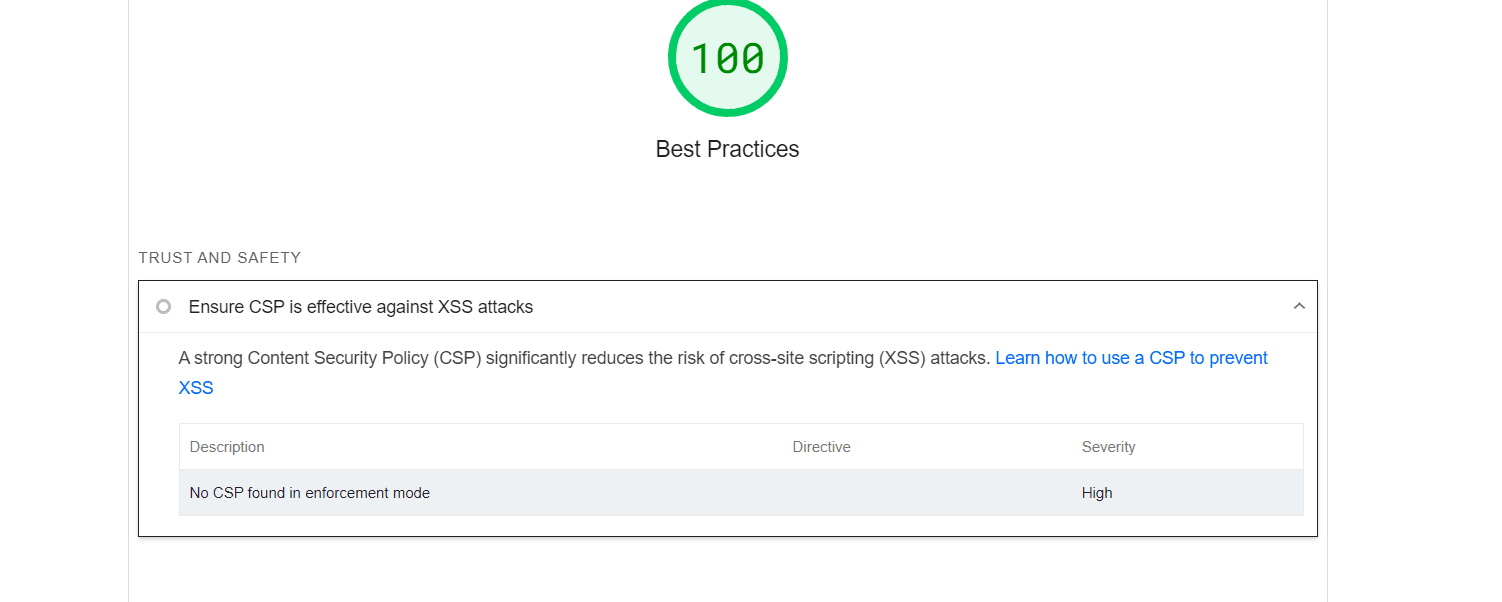
you have implemented it step by step so far you should see this in your lighthouse best practice tab.
Avoid Using 'unsafe-eval'
If possible, try to avoid using 'unsafe-eval' in your code. It is generally discouraged due to security risks, and it's better to find alternative ways to achieve the same functionality without using dynamic evaluation of code.
If there are some code snippets for which you must use 'unsafe-eval' you can create a nonce or hash for those code snippets and put it in your 'script-src' directive. Since the evaluated code matches the approved sources, it can now be run. Make sure you fully test your application after making modifications to your CSP to make sure all required functionality is preserved while upholding security best practices. Aim to utilize 'unsafe-eval' as little as possible because of the security dangers involved.
If you own a website and want to check it for security vulnerabilities, it's a responsible and proactive approach to ensure the security of your site. Here are some tools and methods you can use to assess the security of your own website:
-
Online Scanners:
-
There are several online security scanners that can check your website for common vulnerabilities. Some popular ones include:
-
These tools can provide insights into issues like SSL/TLS configuration, server headers, and other security best practices.
-
Vulnerability Scanners
-
Security Headers
- Check if your website has proper security headers. Common headers include Content Security Policy (CSP), Strict-Transport-Security (HSTS), and X-Content-Type-Options. You can check these headers using online tools or browser developer tools.
-
Manual Testing
- Conduct manual testing to identify security vulnerabilities. This may include checking for input validation, authentication and authorization issues, and other common security pitfalls.
-
Penetration Testing:
- Consider hiring a professional penetration tester or conducting a penetration test yourself. This involves actively simulating attacks to identify and address vulnerabilities. Be cautious and ensure that you have proper authorization before performing penetration testing.
Remember to always backup your website before running any security tests or making changes. Additionally, keep your website and server software up to date to patch any known security vulnerabilities. If you find any issues, address them promptly to enhance the overall security of your website.
Resources
- MDN: CSP http security
- Next JS CSP docs
- Lighthouse CSP best practice audits